Analytics is installed but useless
Traffic exists, but conversions, sources, and lead quality are not connected.
 Get Project Plan
Analytics & Reporting
We set up tracking for forms, calls, bookings, campaigns, SEO, landing pages, and lead sources so decisions come from conversions, not guesses.
Who this is for
Analytics and reporting is for businesses that have traffic, campaigns, SEO, or sales activity but cannot clearly see which source produces inquiries, calls, bookings, or orders.
Traffic exists, but conversions, sources, and lead quality are not connected.
Ads, email, SEO, referrals, and landing pages all report different numbers with no shared view.
Lead data arrives without campaign, page, or source context.
Dashboards show charts but not what to fix, scale, pause, or investigate.
What is included
This service connects website actions, campaigns, search data, forms, calls, bookings, and dashboards.
We define which actions matter and where the source of truth should live.
Forms, calls, bookings, CTA clicks, and campaign UTMs are tracked where possible.
We build a practical view of leads, sources, pages, campaigns, and conversion rates.
Lead source details can move into CRM, inbox, or Slack when the tools support it.
Tell us what exists now, what result you need, and what blocks progress. We will reply with the practical scope and next step.
Choosing the right scope
If the website cannot show forms, calls, or bookings, fix that before comparing channels.
Ads and email need clean UTMs and landing page events or budget decisions stay blurry.
Lead source is most useful when it reaches the people who qualify and close the lead.
Pricing
Analytics cost depends on number of conversion actions, tools involved, campaign sources, CRM requirements, dashboard depth, and data cleanup needs.
A simple form is smaller than calls, bookings, checkout, downloads, and multi-step funnels.
GA, Search Console, CRM, forms, booking tools, ad platforms, and dashboards each add setup requirements.
Passing source data into sales tools is more valuable and more complex than website-only reporting.
A simple lead dashboard costs less than multi-channel reporting with filters and team views.
Proof
Good analytics tells you what to fix, what to scale, and what to stop funding.
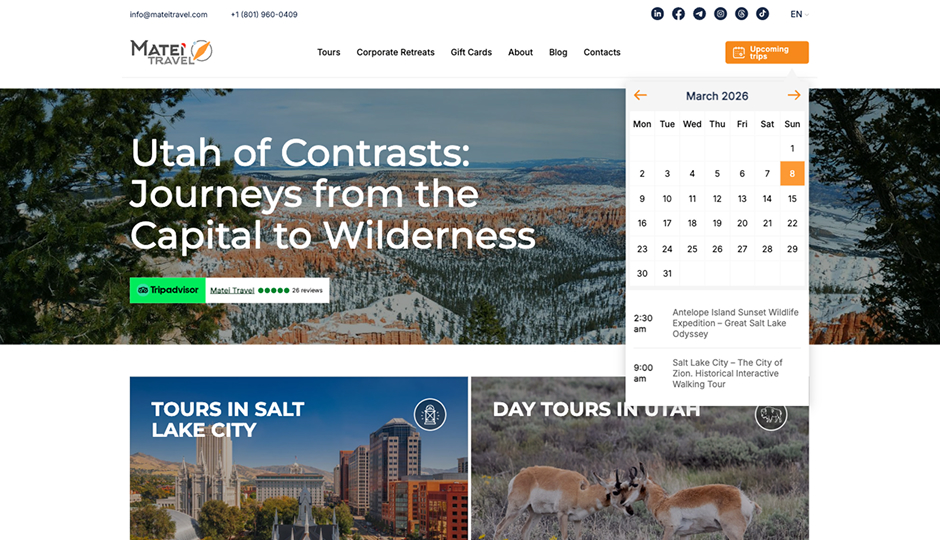
Search to sale
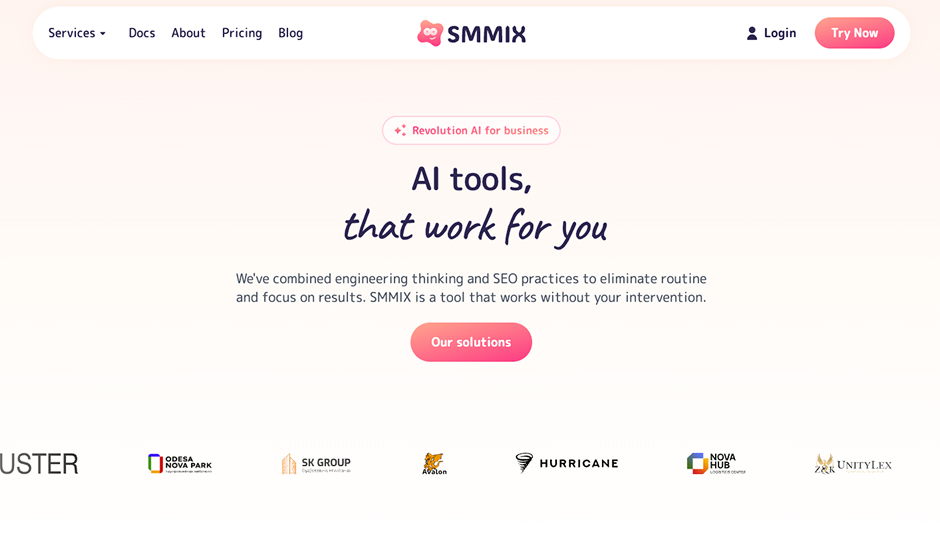
SaaS product
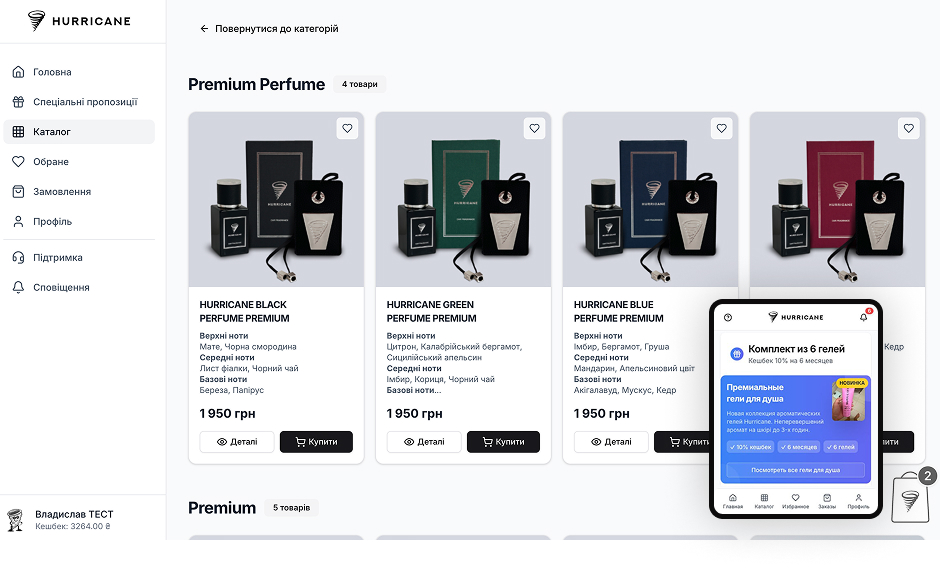
Connected commerce
What happens after you reach out
We identify what the business needs to know: leads, calls, bookings, sales, sources, or page performance.
We check tags, events, forms, campaign links, Search Console, and CRM handoff.
Events, UTMs, conversions, and source fields are implemented according to the plan.
Dashboards and reports are shaped around decisions, not decorative charts.
Submissions and source data are tested before the report is trusted.
Next step
Send the website, campaigns, and tools you use. We will reply with the tracking gaps and the cleanest reporting setup.
FAQ
Yes. We can set up or review analytics, conversion events, source tracking, and useful reports.
Yes, depending on the form and phone tools. Booking and checkout events can also be tracked.
Yes when the CRM and forms support the required fields or integrations.
Yes. Dashboards are scoped around the decisions the team needs to make.
Yes. We audit what exists, remove duplicate or broken measurement where needed, and define the source of truth.
It should be. SEO without lead tracking gets judged by rankings and traffic instead of business outcomes.
Keep exploring
Service pages, trust, forms, CRM routing, and analytics built into the website from day one.
Focused campaign pages for one offer, one audience, and one measurable action.
Search structure, content, booking, payments, and analytics turning visibility into paid orders.
Analytics and Reporting in Utah & across the US
Analytics and reporting setup connects what happens on your website — forms, calls, bookings, purchases — to the campaigns, pages, and searches that caused them. Otherwise Solutions builds this measurement layer for businesses in Utah and across the United States, so marketing decisions come from conversion data instead of traffic charts.
The most common starting point: analytics is installed, traffic numbers exist, but nobody can say which channel produced the actual leads. Until that question has an answer, SEO, ads, and website changes are all judged by proxy metrics that can grow while revenue stays flat.
Rankings and traffic are means, not results. On Matei Travel, conversion tracking is what turned a 196% growth in Google clicks from a vanity number into a verified pipeline of organic bookings — the data showed which pages and queries produced paying customers, and that decided the next round of SEO priorities.
A short self-test. If any of these are true, the reporting layer needs work before any marketing decision should be trusted:
Google Analytics 4 and Search Console form the base. Around them: form and booking tools, call tracking where the phone setup supports it, ad platform conversions, dashboard reporting, and the CRM your team already uses. The stack is chosen by the workflow — we do not force a tool change to make reporting possible.
Setup is verified with test leads end to end: a submission on every form, a tracked call, a booking — each checked against analytics, the dashboard, and the CRM record before the system is declared live. Then the data accumulates. By week four there is usually enough to answer the founding questions: which pages produce inquiries, which sources produce the inquiries that close, and which celebrated channel produces nothing. Those answers are the deliverable; the tags and dashboards are just how we get there.
Cost follows the number of conversion actions and tools involved. One website with one form is a small, fast setup. Calls, bookings, multiple campaign sources, CRM fields, and team dashboards each add scope. Messy historical setups usually need a cleanup pass first — duplicate tags and broken events removed before new data can be trusted.
The first weeks of clean data typically reorder priorities: pages believed to perform turn out to produce nothing, and quiet pages turn out to drive calls. That feedback loop is what makes service page improvements, landing page tests, and follow-up automation measurable instead of speculative.
Contact
Send the basics: what you need, what exists now, and what business result matters. We will review it and reply with the next practical step.
Contact
Use the same contact form. Tell us what you need and we will reply with the next step.
Request sent
Your message was delivered. We will review the project details and reply with the next practical step.