

Updated: .
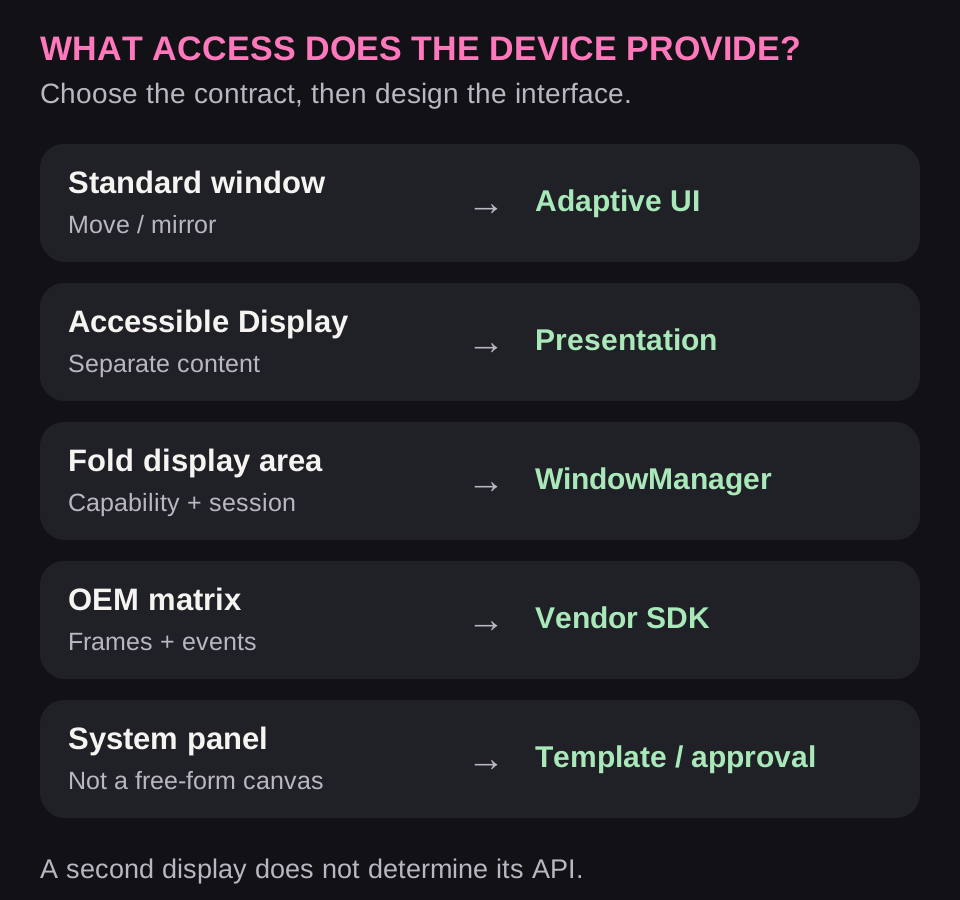
A smartphone's rear display may be a full Android screen, a closed system panel, a surface for a separate window, or an LED matrix with its own SDK. These options only look alike from a distance. Each has its own integration point, lifecycle, and constraints for developers.
A phone lies face down with a timer visible on its back. Another person scans a ticket while the owner keeps the main screen facing themselves. On a foldable phone, the other person sees a translation. These are appealing scenarios, but start with this question: which software contract lets our app display this data?
Research snapshot: November 5, 2026. The tables distinguish user features, documented APIs, and unconfirmed access. Illustrations are original concepts. Physical devices were not tested for this research; a product page is not considered verification of app compatibility.
1. Five different technologies behind “second screen”
| Access type | What the app does | Capability boundary |
|---|---|---|
| Regular app on another screen | Adapts its window | No guarantee of two independent processes |
| Separate presentation | Creates a Presentation for an available Display | Discovering a display does not grant unconditional output rights |
| Foldable device area | Moves an Activity or opens a session in the second area | Support depends on the specific capability |
| OEM matrix SDK | Draws frames and handles permitted events | Not a general-purpose Android window |
| System cards / partners | Uses an approved channel and template | Arbitrary UI may be unavailable |
This is the first architectural decision. If the OS already moves a regular app onto a narrow screen, you need a good adaptive interface. If a system service owns the panel, changing CSS or Compose will not unlock access. If it is a Nothing matrix, WindowManager is not its main programming tool at all.
2. Device map: where an interface is confirmed and where only a feature is known
| Device / family | Confirmed capability | Implication for developers |
|---|---|---|
| Xiaomi 17 Pro / Pro Max | System statuses, controls, camera, and images on the rear screen | A general public rear-display SDK for arbitrary UI is unconfirmed |
| Xiaomi 18 Pro | Access to specific new cards needs separate verification | Do not transfer Super Island approval or a previous model's access to the rear display |
| Xiaomi Mi 11 Ultra | Small AMOLED for clocks, notifications, and the camera | A historical example, not evidence of access to newer generations |
| Nothing Phone (3) / Phone (4a) Pro | Glyph Matrix Developer Kit | Public SDK; the model determines events and available modes |
| ASUS ROG Phone 9 Pro | AniMe Vision with 648 mini-LEDs and custom animations | A public API for arbitrary control from an APK is unconfirmed |
| Ulefone Armor 30 Pro / 33 Pro | Full rear screen and documented mirroring modes | Start by adapting the regular app; do not promise two different apps |
| DOOGEE S200 Plus | 1.32-inch rear AMOLED | User feature confirmed; general developer SDK unconfirmed |
| Fold / Flip / Razr foldables | Different cover screens and system access modes | A full app, a manufacturer widget, and Window Area are different integrations |
This table does not mean a single SDK exists for all listed models. Negative research findings are also narrowly stated: “a public API was not confirmed in the materials checked.” This does not prove the absence of private partner agreements or a future update.
3. Xiaomi: system cards are not an open canvas
The Xiaomi 17 Pro Max page describes delivery, trip, and flight states, music and call controls, camera previews, and transferring images or QR codes to the rear. Some features require specific updates. These are useful product behavior examples, but not yet instructions for integrating your own APK.
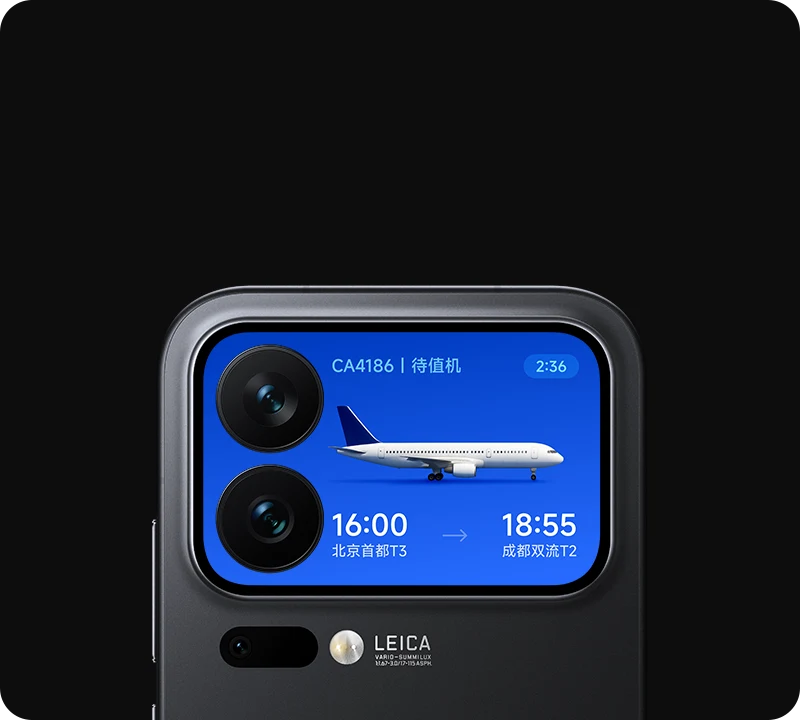
Even if an owner can create a personal card with an AI editor, that does not prove an API exists for a third-party app to send order state. A user editor, a partner integration, and a public SDK solve different problems. Similarly, access to Xiaomi Super Island is not automatic permission to draw on the rear screen.
For Xiaomi 18 Pro, do not mechanically transfer the previous generation's contract. Mentions of new AI cards and their quantity are not promises of developer access: the public materials checked did not confirm a general rear-display SDK for arbitrary rendering by a third-party APK. Assessing a specific integration requires an API name, documentation, access terms, supported models/firmware, and a launch example.
A practical team decision is to mark this capability as needing confirmation, request the relevant channel's conditions from the manufacturer, and continue implementing already available system surfaces. Do not sell a client “Xiaomi rear-screen support” based on a screenshot of someone else's service.
4. Nothing Glyph Matrix: a real SDK with two different modes
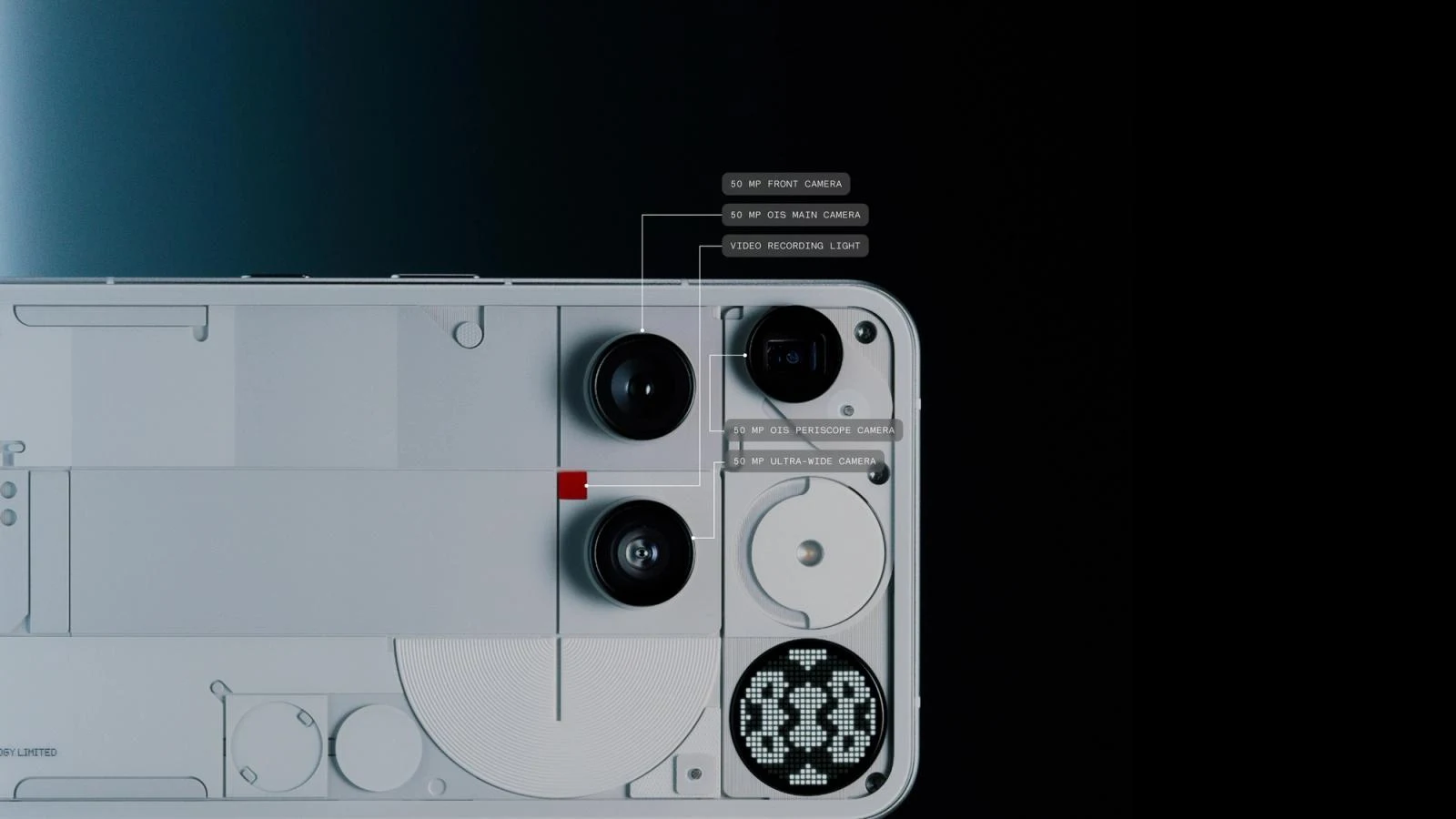
The official Glyph Matrix Developer Kit documents frame control from an app and separate Glyph Toys. This is a concrete public entry point. It differs from the Glyph Interface SDK for lighting segments: the same brand does not make the hardware and methods interchangeable.
| Path | Key APIs / events | Who determines display |
|---|---|---|
| Frame from a regular app | init → register → setAppMatrixFrame → closeAppMatrix / unInit | The app requests output; the system accounts for priorities |
| Separate Glyph Toy | Service, onBind/onUnbind, Messenger, and GlyphToy events | The user selects a Toy in the system interface; event availability depends on the model |
For an app, the sequence is: add the appropriate library, declare com.nothing.ketchum.permission.ENABLE, create GlyphMatrixManager, call init(callback), then after connection register the supported model and send frames through setAppMatrixFrame(). End output with closeAppMatrix() and release the connection with unInit().
Here, “register” means an SDK call for the selected model. Do not describe it as mandatory individual partnership approval for every app. Check the kit's terms of use and distribution requirements separately.
A Toy needs a service with the action, metadata, and preview required by the SDK. The system invokes it when the user selects it; work starts on bind and stops on unbind. The interaction handler receives documented events through Messenger. If a model does not support Glyph Touch, drawing a “hold the button” instruction does not solve the problem. The current kit describes Phone (4a) Pro as supporting AOD Toys without Glyph Touch.
For development, keep a small visual vocabulary: a ring for progress, a static symbol for pause, a short final pattern for completion. This is an author recommendation, not a Nothing standard. Do not turn every task into a continuous animation: test power use, signal clarity, and behavior when the system displays a higher-priority Toy.
5. Ulefone: adapt the regular app first
Ulefone describes four modes: main screen, rear screen, switching between them, and mirroring. In mirrored mode, both sides show the same content, and one chosen side accepts input. The manufacturer's explanation explicitly distinguishes this from two independent apps.
For Armor 30 Pro, the rear-display specification lists 3.4 inches and 412 × 960 physical pixels. That is not 412 × 960 dp or a ready-made CSS viewport width. Density, system bars, and scaling settings affect the app's available space. Some promotional descriptions give conflicting specifications; engineering decisions need the specification and a window measurement on the device.
If Android moves your app to the rear, a separate OEM SDK may be unnecessary. Test preservation of forms and navigation state when switching screens; access to the main button with the keyboard open; wrapping of long labels; scrolling; orientation; and selection of the active touch side.
Do not copy a complex administrative table onto this surface. Confirming order pickup needs only an order number, current status, and one clear action. Details remain in the main workflow. A small physical screen quickly exposes fixed-height interfaces and unreachable buttons.
6. DisplayManager + Presentation: separate content on an available display
DisplayManager returns displays suitable for presentations. This is a list of candidates, not a way to unlock a manufacturer's closed panel:
val displayManager =
    getSystemService(Context.DISPLAY_SERVICE) as DisplayManager
val candidates = displayManager.getDisplays(
    DisplayManager.DISPLAY_CATEGORY_PRESENTATION
)
Do not blindly select the first element: it may be a connected monitor, not the phone's rear. Do not hardcode the display identifier as 1. Determine which screen is intended for the current scenario and whether it is available in the device's current state.
val presentation = object : Presentation(this, selectedDisplay) {
    override fun onCreate(savedInstanceState: Bundle?) {
        super.onCreate(savedInstanceState)
        setContentView(TextView(context).apply {
            text = "Order ready for pickup"
            textSize = 24f
        })
    }
}
try {
    presentation.show()
} catch (error: WindowManager.InvalidDisplayException) {
    showDisplayUnavailable(error)
}
This is a fragment from an Activity: your app supplies selectedDisplay and showDisplayUnavailable. The layout uses the Presentation context so it can load resources for the correct screen. Under the Presentation contract, calling show() may throw InvalidDisplayException even if the display was found earlier. Handle display removal, owner shutdown, geometry changes, and cleanup of your listeners.
Launching a separate Activity is another path
For this, check FEATURE_ACTIVITIES_ON_SECONDARY_DISPLAYS and, on a suitable version, ActivityManager.isActivityStartAllowedOnDisplay(...). Specify the display through ActivityOptions.makeBasic().setLaunchDisplayId(...). The check and launch method have different minimum API versions. The ActivityOptions documentation warns about restrictions on private displays; ordinary rules for starting Activities from the background still apply.
If launch is prohibited, the correct result is a clear unavailable state. Hidden APIs, root, and an overlay on the main screen do not turn it into a supported integration.
7. WindowAreaController: transfer and dual-screen modes on foldables
Jetpack WindowManager describes separate operations: moving an Activity to the rear area and showing additional content alongside the main screen. The guide to foldable display modes uses capability checks and sessions for them.
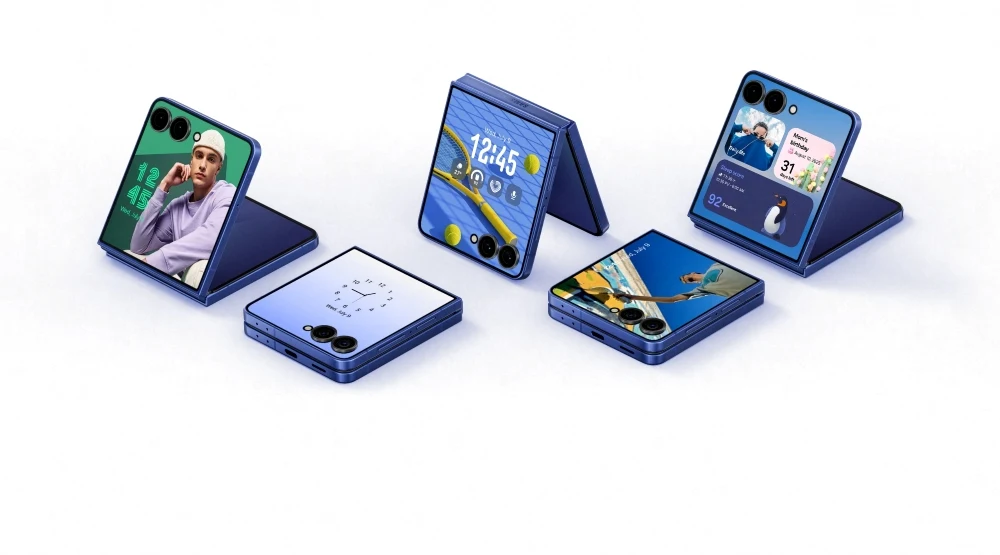
The workflow is: find a suitable area → check the specific operation → distinguish unsupported, unavailable, available, and active → request a transfer or presentation → retain the returned session → handle its ending. The system may close a session when device posture or mode availability changes. This is a lifecycle event, not necessarily an app error.
Check examples against the installed version of androidx.window. Documentation includes API generations with WindowAreaInfo and transferActivityToWindowArea, while newer reference pages contain WindowArea and transferToWindowArea. Mixing an older guide with a newer alpha symbol produces code that does not compile.
Two-sided translation makes this mechanism particularly clear: the owner sees controls, the other person sees large text. But having WindowAreaController does not prove access to Xiaomi's small AMOLED, an arbitrary Flip widget, or Glyph Matrix.
Reorganizing the main Flip/Fold interface
Moving between outer and inner screens changes more than size. Check available height, density, safe areas, keyboard, state, and fold geometry. In a narrow window, list and details may open sequentially; in a wide window, side by side. The selected object, draft, reading position, and running operation must survive.
On a partly folded device, putting content and controls in different areas is useful only for an appropriate scenario and reliable posture data. A physical hinge, a crease that does not obscure pixels, and an ordinary window resize are different conditions. On the web, a Fold device does not guarantee that the browser reports segments.
The practical section in the overview shows four versions of one interface and a testing sequence. For implementation, there is a separate Adaptive Interfaces skill for websites and apps; installation instructions are alongside the overview. It complements display-access verification; it does not replace it.
8. What websites and PWAs can do
If the OS opens a browser on the rear screen, the website adapts to the actual window: responsive layout, accessible buttons, correct keyboard handling, and scrolling. A web app does not need to know the phone model to work well in a narrow area.
There is also a separate Window Management API for placing browser windows across multiple screens. Check it through feature detection and permissions, for example before calling window.getScreenDetails(). This API manages browser windows on available screens; it does not directly access a closed rear-panel service or replace the Glyph SDK.
Installing a PWA does not add ActivityKit either. If the project truly needs native integration, separately design the native component, data channel, and lifecycle. Do not promise this as a side effect of responsive layout.
9. What to show: a short state and a deliberate action
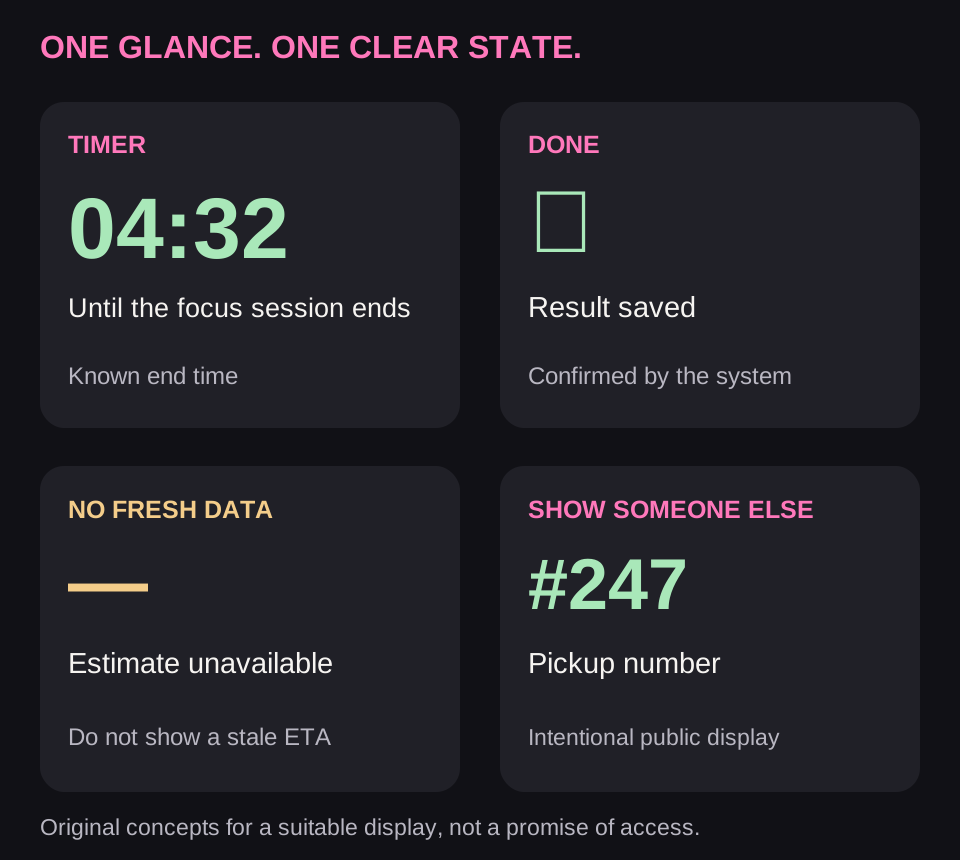
A timer benefits from remaining time. A task needs a trustworthy stage and completion. Showing something to another person needs a specially prepared public version: pickup number, permitted ticket, or translated text. Entering a “show” mode must be clear to the owner.
AI generation exposes a particular risk: if the server stops responding, the phone must not keep appearing “alive” through invented progress on its enclosure. A light pattern can indicate waiting, but a stale-data state must be distinguishable, and confirmed readiness must appear only after the task finishes.
A QR code needs real content, sufficient area, contrast, a quiet zone, and scanner testing. A monochrome matrix with few dots does not become a reliable ticket display merely because you can draw a similar pattern on it. Use a real pass issuing and verification system, not a decorative image.
Do not automatically show private messages, verification codes, or medical data on a side visible to bystanders. Locking the main screen does not prove the secondary surface has hidden its content. Switching accounts and signing out must remove views associated with that account.
10. Device testing and the release decision
| Check | What to record |
|---|---|
| Access | Model, ROM/region, OS build, SDK, permission, and actual mode |
| Lifecycle | Selection/cancellation, display disconnection, backgrounding, locking, account switching |
| Geometry | Actual bounds and density, rotation, keyboard, large text, scrolling |
| Input | Which side accepts touch; whether there is a button, its events, and command confirmation |
| Freshness | Behavior offline, with an old update after completion, and with an unknown result |
| Privacy | What a bystander sees; cleanup on sign-out; conditions for showing a pass |
| Physical result | Readability in light, case interference, viewing angle, signal/QR recognition |
| Energy | Frame/request frequency, stopping work after leaving the surface |
Measure benefit in a specific scenario: could someone learn the state faster, avoid turning the phone over, show the necessary information, or perform an action? Counts of flashes, frames, and app opens have no value on their own.
A good first release is one clear scenario on a confirmed device: a Glyph Matrix timer, adaptive order pickup on Ulefone, or two-sided translation through a supported Window Area. Expand coverage after verifying access and lifecycle behavior. The task model can be shared; every additional screen remains a separate integration.
Apply this guide with Codex and Claude Code
This research led us to create open skills for Codex and Claude Code: Interaction Surfaces and Adaptive Interfaces. They analyze an existing website or app, identify available APIs, and suggest useful improvements such as widgets, ongoing activities, watch experiences, secondary displays, and adaptive layouts. You choose which scenarios to implement, defer, or leave out; the agent then implements the selected changes and verifies them within the available platforms and devices.
To work on your own app, you can install the Interaction Surfaces skill from GitHub. It includes display-access checks, DisplayManager and Presentation, WindowManager, Glyph Matrix, and synchronization rules for the main app. The English package covers the whole series; the installation instructions and example invocation are in the overview.
Frequently asked questions
Is there a universal Android API for every rear display?
No single contract unlocks every panel. Standard multi-display mechanisms, WindowManager, and manufacturer SDKs exist; first determine which one applies to the device.
Can you avoid the manufacturer's SDK?
Yes, when the OS already runs a regular app on the required screen or provides standard display access. This does not automatically work for system panels with closed access.
Does a user animation editor mean there is an SDK?
No. An editor may save images for a system feature without giving an app any calls, events, or permission to display current data.