

Updated: .
Dynamic Island is useful when it answers a short question: when will the car arrive, how much time is left on the timer, what is happening with the workout? Making this feature reliable takes more than a compact layout: it needs ActivityKit, a widget extension, correct updates, action handling, and a clear ending. This guide covers the full path from a product scenario to implementation testing.
Someone orders food and opens their work messages. At the top of the screen, “4 min” is enough. Expanding it should explain that the courier is at the courtyard entrance. The Lock Screen should identify the same order. After delivery, the status should end. That is the sequence we design: one process, several views, and no promises that the data no longer supports.
Checked against Apple documentation on November 5, 2026. This is a practical guide with original diagrams, not a report on testing every iPhone. The Swift examples illustrate individual parts of the integration; they are not a built and signed application. Check every API against the project's Xcode SDK and deployment target.
1. Dynamic Island, Live Activity, and widget are three different concepts
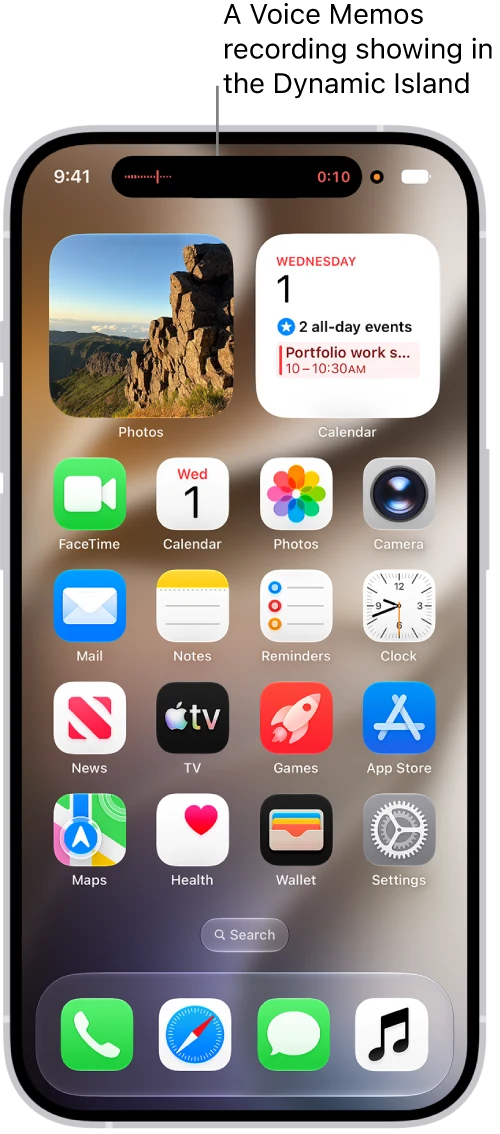
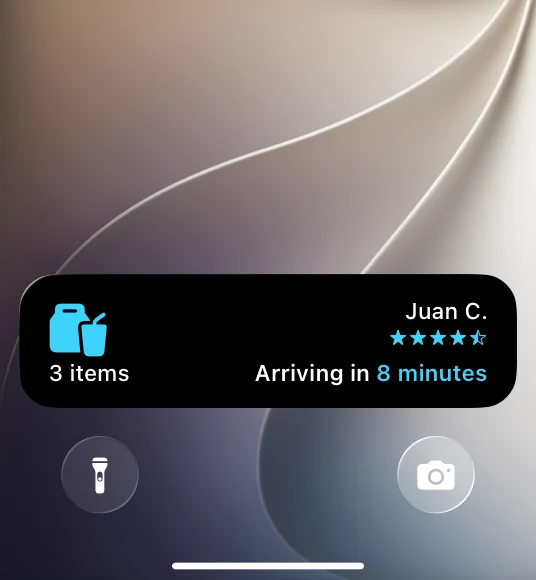
Dynamic Island is a display location. A Live Activity represents an ongoing activity. ActivityKit manages its lifecycle. The interface is built with WidgetKit and SwiftUI in an app extension. A regular widget also uses WidgetKit, but follows a different update contract: its timeline cannot replace a Live Activity lifecycle. This distinction is explained in Apple's guide to integrating Live Activities.
| Mechanism | Responsibility | Example |
|---|---|---|
| ActivityKit | Create, update, and end an activity | A delivery from the start of tracking to completion |
| WidgetKit + SwiftUI | Define views and supported interactions | A brief ETA and an expanded card |
| Dynamic Island | The system display area on a supported device | Compact, minimal, and expanded states |
| Regular widget | Recurring information and quick entry | Today's schedule, the next event |
This has an important consequence: supporting iPhones without an island is worthwhile. The Lock Screen remains a context in its own right. Conversely, drawing a capsule inside your app does not connect the product to the system interface.
2. First agree on exactly what the person is tracking
For a delivery, define when tracking starts, how stages change, and how it ends. “Order accepted” may not yet need continuous attention. “Courier on the way” answers a recurring question. “Courier waiting” calls for a noticeable change. “Delivered” ends the process; the card should not turn into an invitation to order again.
For a workout, the main question is different: is recording still running, how much time has passed, and how can it be paused? For a match, it is the score and current period. For a timer, it is the remaining time. These are different content models, even if they all fit a similar shape.
AI generation does not automatically earn a place in the island either. If the result can comfortably wait, a completion notification and a history screen usually solve the problem. If the user deliberately follows a short task in progress, judge a live view by its actual usefulness. Never display an invented percentage just to make an animation look good.
Before drawing a layout, write one sentence: “While a process is happening, the person wants an answer and occasionally to perform an action; the view disappears when a condition is met.” If the last part is missing, you have probably chosen the wrong mechanism.
3. Four main layouts and one information priority
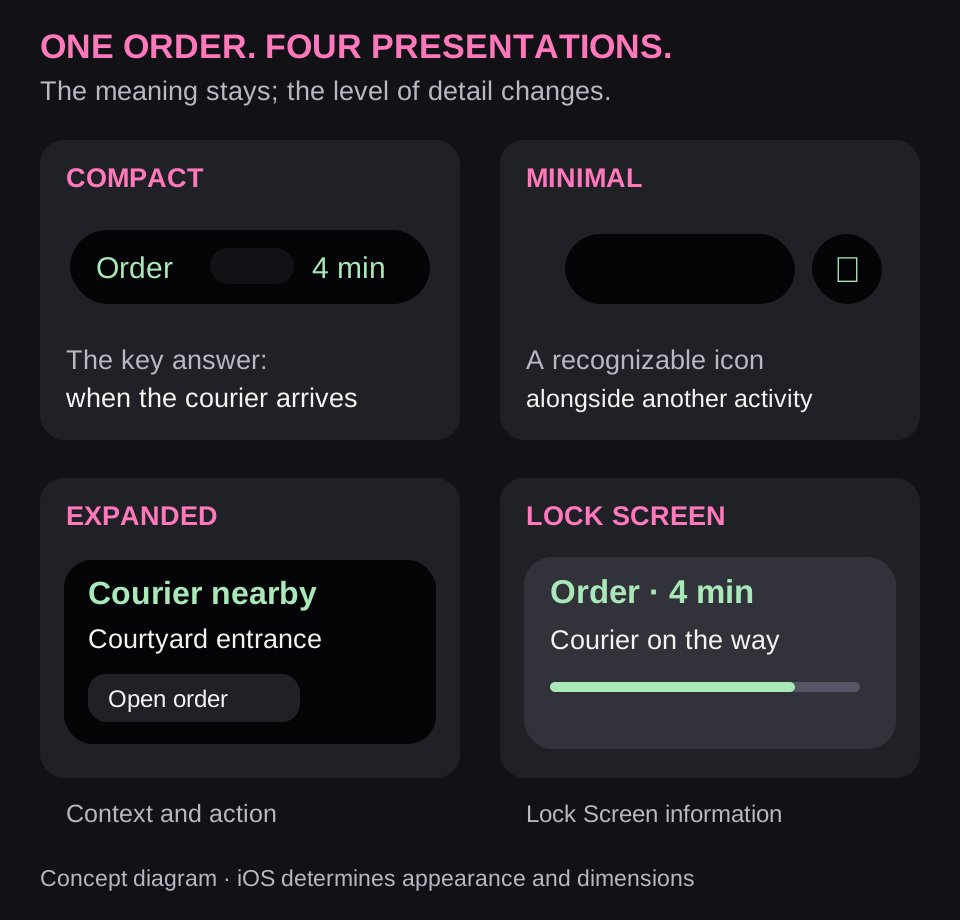
Keep the main metric in the compact state. Minimal must remain recognizable alongside another activity. Expanded can add context and an action. The Lock Screen needs enough information to understand the task without opening the app. The system defines dimensions, regions, and expansion rules; check them against the Human Interface Guidelines for Live Activities.
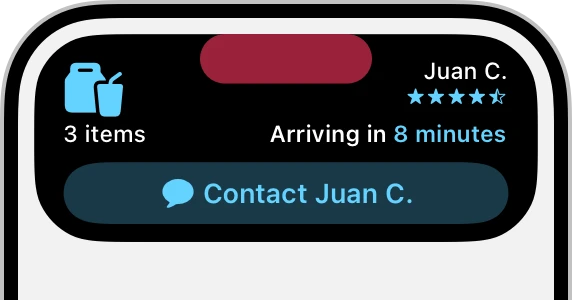
For example: compact — “4 min”; minimal — a delivery symbol; expanded — “Courier at the courtyard entrance”; Lock Screen — the stage and a connection to the specific order. Do not shrink one large screen to four sizes. Choose the information afresh for each context.
Account for the island's limited width, multiple ongoing activities, large text, long translations, and VoiceOver. The number “4” without an accessible name is ambiguous. “The courier will arrive in approximately four minutes” conveys its meaning. Private order details should not become visible simply because the phone is lying on a table.
4. Project setup and the data model
Start with the existing iOS target. Add or reuse a Widget Extension, include the Live Activity configuration in the extension's widget bundle, and set NSSupportsLiveActivities = YES for the app. Check signing, identifiers, target versions, and whether the shared data type is accessible to both app and extension. A website or JavaScript wrapper does not create this target on its own.
ActivityAttributes separates fixed attributes from a mutable ContentState. The order number stays fixed; the stage and arrival estimate change. This minimal example does not pass the address, personal details, images, or the full server model:
import ActivityKit

struct DeliveryAttributes: ActivityAttributes {
    struct ContentState: Codable, Hashable {
        var phase: String
        var etaMinutes: Int?
    }
    let orderID: String
}
etaMinutes may be unknown. A value of nil is more honest than zero here: “no estimate” does not mean “the courier has arrived.” In a production app, describe stages using an agreed set of values so the backend and client interpret them consistently.
Check ActivityAuthorizationInfo().areActivitiesEnabled. Regular notification settings and Live Activities authorization are not interchangeable. Changes can be observed through activityEnablementUpdates, as described in the ActivityKit settings API. Even after a positive check, creation can fail — for example, because of system limits.
enum DeliveryActivityError: Error { case disabled }

@available(iOS 16.2, *)
func startDelivery(orderID: String) throws
    -> Activity<DeliveryAttributes> {
    guard ActivityAuthorizationInfo().areActivitiesEnabled else {
        throw DeliveryActivityError.disabled
    }
    let state = DeliveryAttributes.ContentState(
        phase: "on_the_way", etaMinutes: 4
    )
    return try Activity<DeliveryAttributes>.request(
        attributes: DeliveryAttributes(orderID: orderID),
        content: ActivityContent(
            state: state,
            staleDate: .now.addingTimeInterval(120)
        ),
        pushType: nil
    )
}
The function deliberately propagates errors to its caller. The product must show the outcome of creation in its regular interface. The example uses ActivityContent, available since iOS 16.2, and local updates without push. The server-driven option needs the additional setup described below.
5. Connecting data to Dynamic Island
In ActivityConfiguration, define the regular view; in DynamicIsland, define the compact regions and expanded view. The following snippet illustrates that structure. The DeliverySummary view is a component you must implement in your app; it is not an Apple class.
ActivityConfiguration(for: DeliveryAttributes.self) { context in
    DeliverySummary(state: context.state, isStale: context.isStale)
} dynamicIsland: { context in
    DynamicIsland {
        DynamicIslandExpandedRegion(.bottom) {
            DeliverySummary(state: context.state, isStale: context.isStale)
        }
    } compactLeading: {
        Image(systemName: "shippingbox")
    } compactTrailing: {
        if !context.isStale, let eta = context.state.etaMinutes {
            Text("\(eta) min")
        } else {
            Text("—")
        }
    } minimal: {
        Image(systemName: "shippingbox")
    }
}
In real code, DeliverySummary must explicitly handle isStale and a missing ETA. For navigation, add a widgetURL that points to the right order. After opening it, check the current account and access to the object: a public link is not authorization. Do not send people to the home screen to search for the order they just tapped.
6. Buttons: App Intents and confirmed outcomes
Supported interactive views use Button(intent:) and Toggle with an App Intent. The intent calls the same domain command as the main screen. Apple explains the execution context in its guide to interactive widgets and Live Activities; activity operations can use LiveActivityIntent.
Pausing a workout follows this chain: tap → validate the current session → command recording to pause → confirmation → new state. If the command goes to another device or a server, this is not an instant local label change. A repeated tap should not accidentally resume the workout: “set paused” is more reliable than blindly “toggle state.”
For a delivery, opening details or contacting the courier is usually enough. Cancelling an order, unlocking a door, and other sensitive actions need their own confirmation flow and system authentication where required. A small button does not reduce the consequences of an operation.
7. Server updates: three tokens you must not confuse
When data comes from a server, enable the Push Notifications capability and create the activity with pushType: .token. Then observe activity.pushTokenUpdates: the token arrives asynchronously and can change. The backend associates it with a specific activity and account. Do not store it in public logs.
| Token | Purpose | Mistake to avoid |
|---|---|---|
| Regular APNs device token | Regular remote app notifications | Using it instead of an ActivityKit update token |
| Activity update token | Update or end a specific Live Activity | Associating one token with every order |
| Push-to-start token | Remotely start a new activity on a supported runtime | Sending an ordinary update to it or ignoring rotation |
To update a specific activity, the APNs request uses apns-push-type: liveactivity and a topic in the form <app-bundle-id>.push-type.liveactivity. The content-state content must match the Swift model. Here is an original JavaScript example that builds an update:
const now = Math.floor(Date.now() / 1000);
const payload = {
  aps: {
    timestamp: now,
    event: "update",
    "content-state": { phase: "on_the_way", etaMinutes: 4 },
    "stale-date": now + 120
  }
};
Here, 120 seconds is the freshness window chosen for the example order, not an Apple limit. On the server, derive the timestamp and validity window from the product logic. Times in the APNs envelope use Unix seconds; that is not a reason to encode every Swift Date in your own model the same way. Verify actual decoding.
The complete contract for start/update/end, priorities, and channels is described in the ActivityKit push documentation. A shared sports event can use a broadcast channel on supported versions; personal orders should not casually share one audience. Frequent Updates is a separate setting and budget, not a promise of second-by-second updates. APNs accepting a request proves neither display nor viewing.
8. Freshness, ending, and real constraints
Pass a confirmed local change to the existing activity object through update. In this example, a zero ETA is valid because the courier is known to be waiting, not because the estimate was lost.
let nextState = DeliveryAttributes.ContentState(
    phase: "courier_waiting", etaMinutes: 0
)
await activity.update(
    ActivityContent(
        state: nextState,
        staleDate: .now.addingTimeInterval(120)
    )
)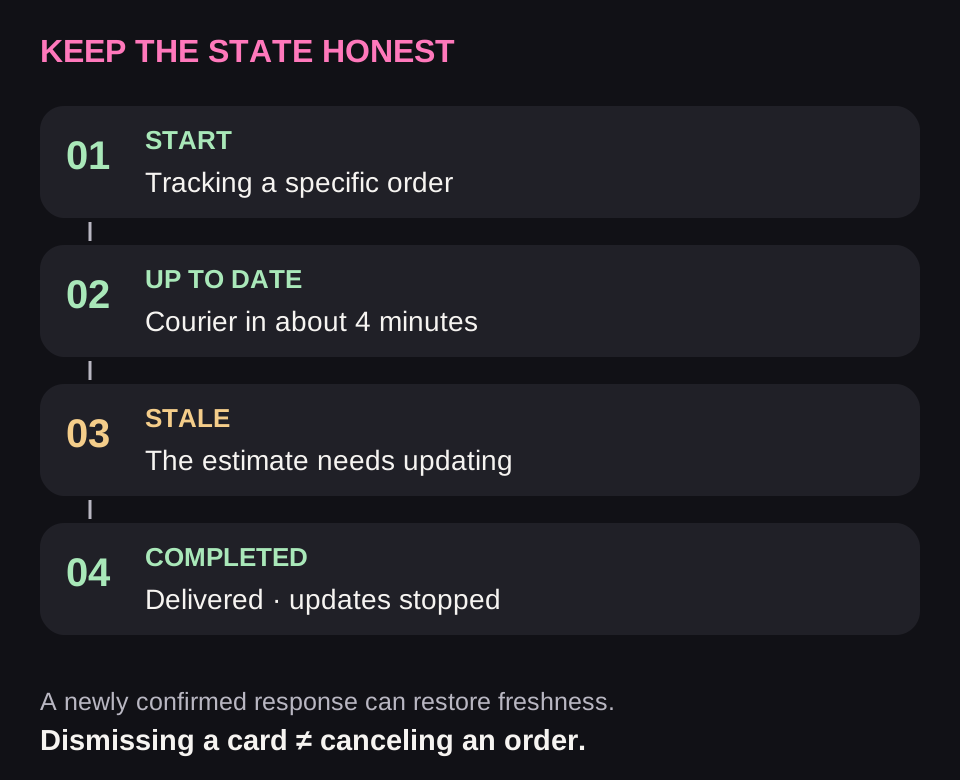
A trustworthy answer matters more than its continuous presence. If an ETA update has not arrived, stop confidently promising the same four minutes. staleDate marks when data becomes stale; context.isStale lets you change the UI. The field itself neither writes “Data is out of date” for the developer nor refreshes the estimate.
Distinguish four things: the order is still in progress; the data is stale; the card is hidden; the user's command is unconfirmed. These can coexist. Removing a Live Activity from the Lock Screen does not cancel a delivery. After an app restart, reconcile with Activity<DeliveryAttributes>.activities instead of creating a new copy of every task.
For standard Live Activities, the current documentation specifies up to eight hours of active life, followed by up to four additional hours on the Lock Screen, and a combined 4 KB budget for static and dynamic data. The rendering extension does not get arbitrary network access or location updates. Consider these duration and data constraints before choosing a scenario.
let finalState = DeliveryAttributes.ContentState(
    phase: "delivered", etaMinutes: nil
)
await activity.end(
    ActivityContent(state: finalState, staleDate: nil),
    dismissalPolicy: .default
)
Pass final content when ending the activity. The .default policy lets the system keep showing the result on the Lock Screen for a while; .immediate removes it immediately; .after(...) sets a bounded delay. Make a deliberate choice: people may need to see the final status, but an endless card for completed work creates a false expectation.
9. Apple Watch, StandBy, Mac, and CarPlay
The island is not the only place of use. For Apple Watch and CarPlay, you can prepare a small view through supplementalActivityFamilies([.small]) and select its content using activityFamily. The guide to supplemental views also explains adaptation to other sizes and Dynamic Island's limited width.
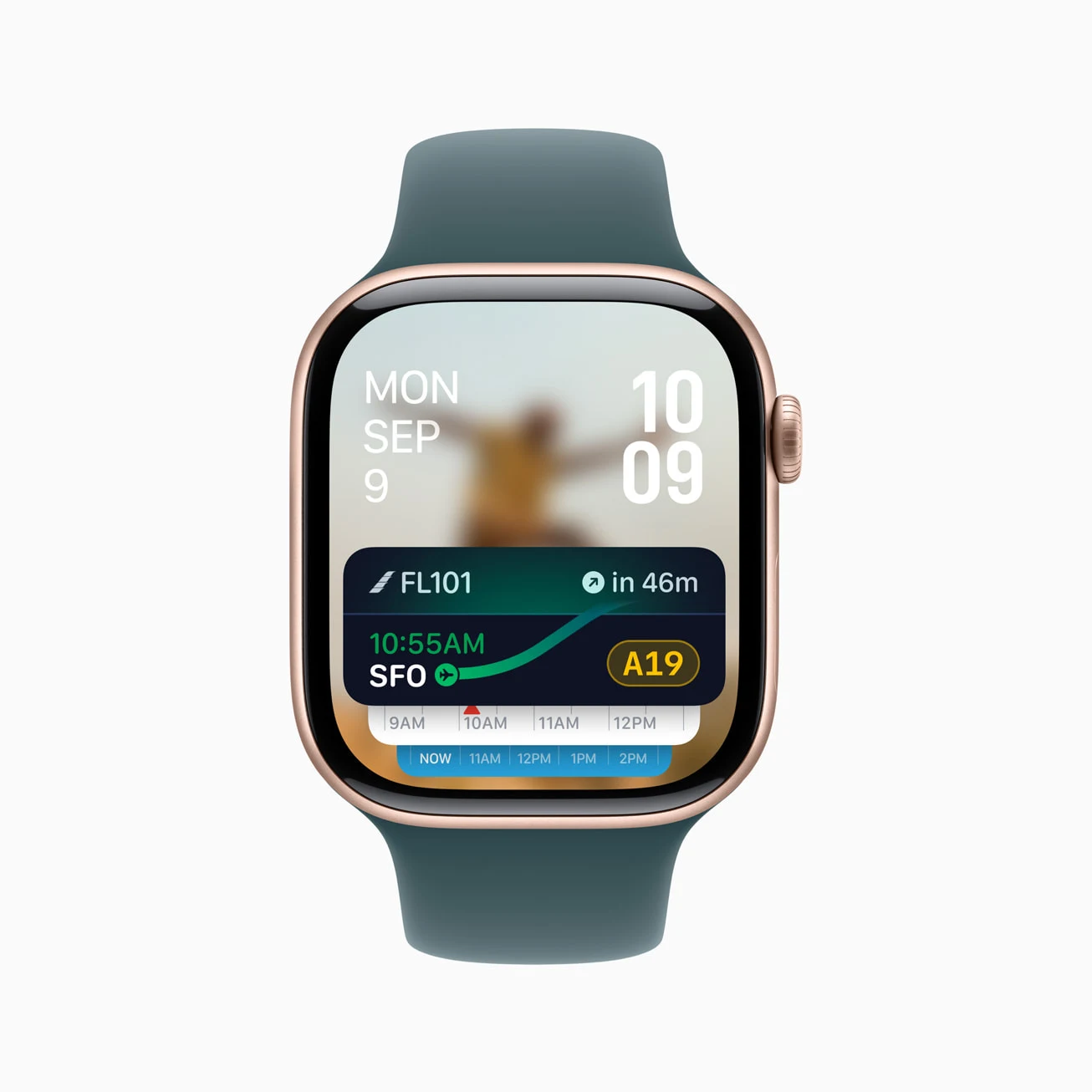
A crucial distinction: interactivity on Apple Watch does not imply interactivity in CarPlay. The system disables Live Activity buttons and toggles in the car. “Courier waiting” must therefore remain useful without a button beside it. Receiving a Live Activity on a watch or in the Mac menu also does not create an independent watchOS or macOS app.
StandBy needs to be readable at a distance; a large value and a clear stage work better than a long paragraph. Watches need short labels and comfortable touch targets. On Mac, account for navigation to the task and dependence on a paired iPhone. Verify support for the specific combination of versions and settings.
The current documentation includes scheduled and transient activities. A transient activity is intended for a short interaction in the expanded island and ends when that context is exited; it cannot substitute for ordinary background tracking. Before using new overloads of request, check the availability of the specific symbol and the SDK's release status, not just the ActivityKit family name.
10. Testing that separates a prototype from an integration
| Condition | Expected result |
|---|---|
| Live Activities disabled | The main task is available; the system does not promise an island |
| No Dynamic Island | The required Lock Screen view has been tested |
| Two activities | Each is identifiable, with no mixed-up navigation |
| Stale data | The ETA does not look confirmed; loss of freshness is visible |
| The user removed the card | The order is not cancelled; the card is not forcibly restored |
| The network returns after completion | An old event does not revive a completed task |
| Token changed / APNs returned an error | The backend updated registration and distinguishes delivery from request acceptance |
| Activity ended | Final status displayed, updates stopped, dismissal policy applied |
Add separate checks for long localizations, large text, VoiceOver, dark/dim display, and opening the app after switching accounts. For pause or cancel, test repeated commands and simultaneous actions from another device.
The simulator helps with layouts, but does not verify APNs delivery, the behavior of a specific iPhone, or forwarding to a watch. Separate these claims in the report: built; displayed in the simulator; tested on a device; tested with the server. Test force-quit separately from ordinary backgrounding.
11. What the team should deliver
The smallest complete result is one justified scenario, an agreed state model, an extension with the required views, start/update/end handling, an exact link to the task, and a tested path when Live Activities are unavailable. Add server transport and interactivity when the scenario actually needs them.
An example acceptance criterion: “After a trip starts, the person sees a current arrival estimate; when data is lost, the interface stops promising an exact ETA; tapping opens the correct trip; updates stop after completion; an activity removed by the user does not reappear to demand attention.” This is much stronger than “make a beautiful island.”
Apply this guide with Codex and Claude Code
This research led us to create open skills for Codex and Claude Code: Interaction Surfaces and Adaptive Interfaces. They analyze an existing website or app, identify available APIs, and suggest useful improvements such as widgets, ongoing activities, watch experiences, secondary displays, and adaptive layouts. You choose which scenarios to implement, defer, or leave out; the agent then implements the selected changes and verifies them within the available platforms and devices.
To work on your own app, you can install the Interaction Surfaces skill from GitHub. It includes ActivityKit and WidgetKit setup, a Swift example, App Intents, APNs, and a separate Apple Watch guide. The English package covers the whole series; the installation instructions and example invocation are in the overview.
Frequently asked questions
Can a regular website start Dynamic Island?
A website can offer a notification or a link to the task, but it has no direct access to ActivityKit. Native app integration is required; installing a PWA does not replace a widget extension.
Does every timer need a separate server?
No. For a known local interval, first consider the system's time display. A server is needed where changes originate remotely; sending push updates every second just to move the numbers does not solve the product problem.
Can you guarantee that an activity will appear in the island?
No. Settings, the device, other activities, and system decisions affect display. Design the complete task journey rather than depending on a single visible capsule.
Can I paste the article's code unchanged?
No. It explains component boundaries. Shipping requires real models, views, error handling, signing, routing, API verification, and project tests.