
Updated: .
Accessibility is assessed through several methods: automated analysis, manual inspection, and people completing tasks. None replaces the others. The unit of testing should be a complete journey, including errors and recovery.
Define the scope first
Record the product version, target WCAG version and level, pages, processes, languages, states, and environments. “We tested the website” does not tell anyone whether checkout after session expiry was covered or only the homepage. Sample different templates, complex components, and critical paths.
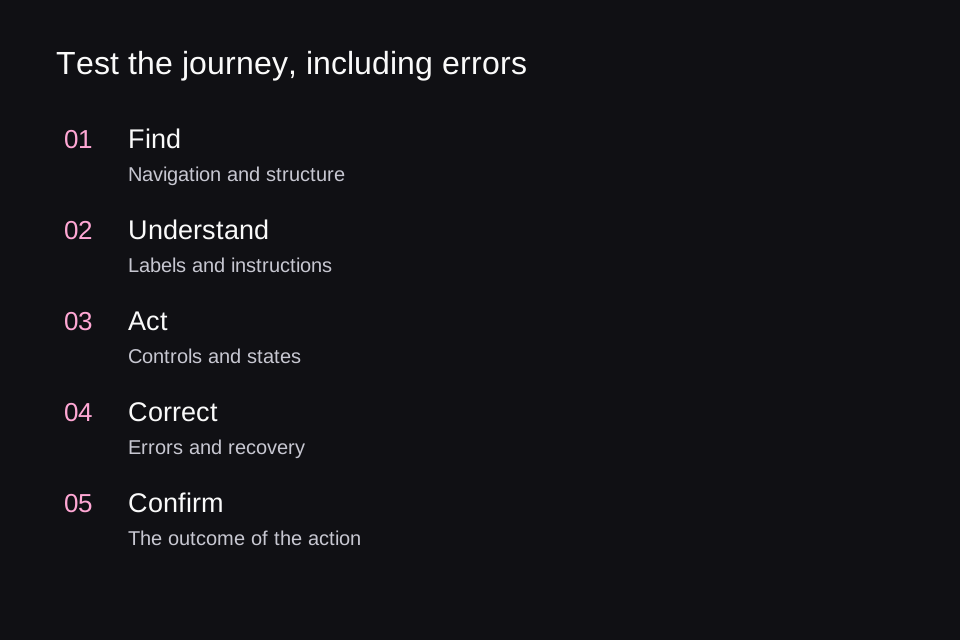
Our working journey is: find a service → open its description → complete a request → correct an error → submit → receive confirmation. A store adds a cart, payment, and returns; an account adds login and account recovery. If a required step is inaccessible, successful earlier steps do not save the outcome.
Automation finds some defects quickly
WAVE helps detect errors and inspect page structure, but it is not a screen reader and does not precisely reproduce how every screen reader will read a page. It supports human evaluation. Finding zero errors does not mean full conformance.
Run automated checks on real states: an open menu, a completed form, an error, and a modal dialog. Checking the initial screen will not inspect DOM content that only appears after an action. Save results so it is clear which states were covered.
A manual pass without a mouse
- Start with page load. Check access to the main content and a logical focus order.
- Complete the task using a keyboard. Check that all actions are available and there are no accidental traps.
- Open and close each complex component. Track where focus moves.
- Trigger an error and correct it. Make sure the value is preserved and the explanation is clear.
- Check confirmation: people need to know whether the action succeeded.
Test pointer interaction separately. The 24 × 24 CSS px minimum target in WCAG 2.5.8 AA has exceptions, including sufficient spacing between targets. 44 × 44 belongs to a different, enhanced criterion; it is not a universal AA minimum. Larger touch targets can be a useful design choice without presenting that choice as the literal requirement.
Dragging needs a single-pointer alternative without dragging, unless an exception applies. For example, “Move up” and “Move down” buttons can reposition an item. A keyboard alternative alone does not address the needs of someone who uses a pointer but cannot hold and drag.
Test perception and personal settings
Check text at 200%, reflow at an equivalent width of 320 CSS px, user-defined text spacing, and forced colors. Review every theme, not just the default. Look for clipped errors, disappearing labels, and overlapping fixed panels.
The alternatives needed depend on the media type and WCAG level. For prerecorded video with audio, check synchronized captions and audio description of essential visual information that is absent from the soundtrack. Prerecorded audio without video generally needs a transcript. Silent video and live streams have their own requirements; a transcript does not replace every synchronized-media requirement. Plan an accessible player and the necessary alternatives before producing the video.
For motion, reduce nonessential animation in response to prefers-reduced-motion. Separately check automatically moving content, pause controls, and flashing: one media query does not establish compliance with every related requirement. Simple instructions, avoiding unnecessary time pressure, and preserving input after errors also affect whether people can finish a task.
Screen readers and user participation
Choose browser and assistive technology combinations based on your audience, such as desktop and mobile scenarios. Record versions. Check structure, element names, current values, states, messages, and reading order. One successful combination does not establish compatibility with all of them.
Invite people with different access needs to test real tasks and pay them for their work. Do not reduce the research to “Do you like the website?” Observe whether they can complete an action, where help is needed, and how understandable error recovery is. Participants do not replace criteria checks, and criteria checks do not replace participants.
What a useful defect report looks like
Scenario: submitting a request with an invalid email. Environment: recorded OS, browser, and screen reader versions. Steps: complete the form, enter an invalid address, and submit. Actual result: the border turns red, but there is no explanation. Impact: it is unclear which value to change or how to fix it. Expected result: a textual error is associated with the field. Retest: the error is perceivable, the correction is retained, and the request can be submitted.
Prioritize by impact on task completion and how widely a component is used, not just finding counts. One inaccessible payment step can matter more than dozens of identical decorative issues. Fixing priorities do not, however, waive criteria required for the claimed conformance level.
Make improvements last
Add component requirements to the design system: name, role, states, keyboard interaction, focus, errors, and resizing. Repeat affected journeys after changes. When a shared component is fixed, check the pages using it as well as its isolated demo.
In the final report, distinguish identified problems, tested scope, evaluation limitations, and remaining risks. “No violations of these criteria were found in this sample of states” is more informative than an unqualified claim that a website is “100% accessible.”
To bring these checks into development with an AI assistant, get the Accessible UI skill on GitHub. The first article includes installation instructions for Codex and Claude Code.
Based on this research, we created open skills for Codex and Claude Code to help analyze and improve websites and applications. Accessible UI guides checks of semantics, keyboard interaction, focus, forms, and contrast; Adaptive Interfaces helps adapt layouts to window sizes, text scaling, the keyboard, and foldable devices. The agent examines the actual project, proposes evidence-based improvements, and verifies the agreed changes. These skills do not replace testing with users and assistive technologies.
Sources and the status of standards checked on November 5, 2026.